
SaaS Pricing Models Explained: What You're Really Paying For
A SaaS pricing model is the rule a vendor uses to decide what you pay for: people, usage, features, or one flat fee. The model matters more than the price…

· 11 min read
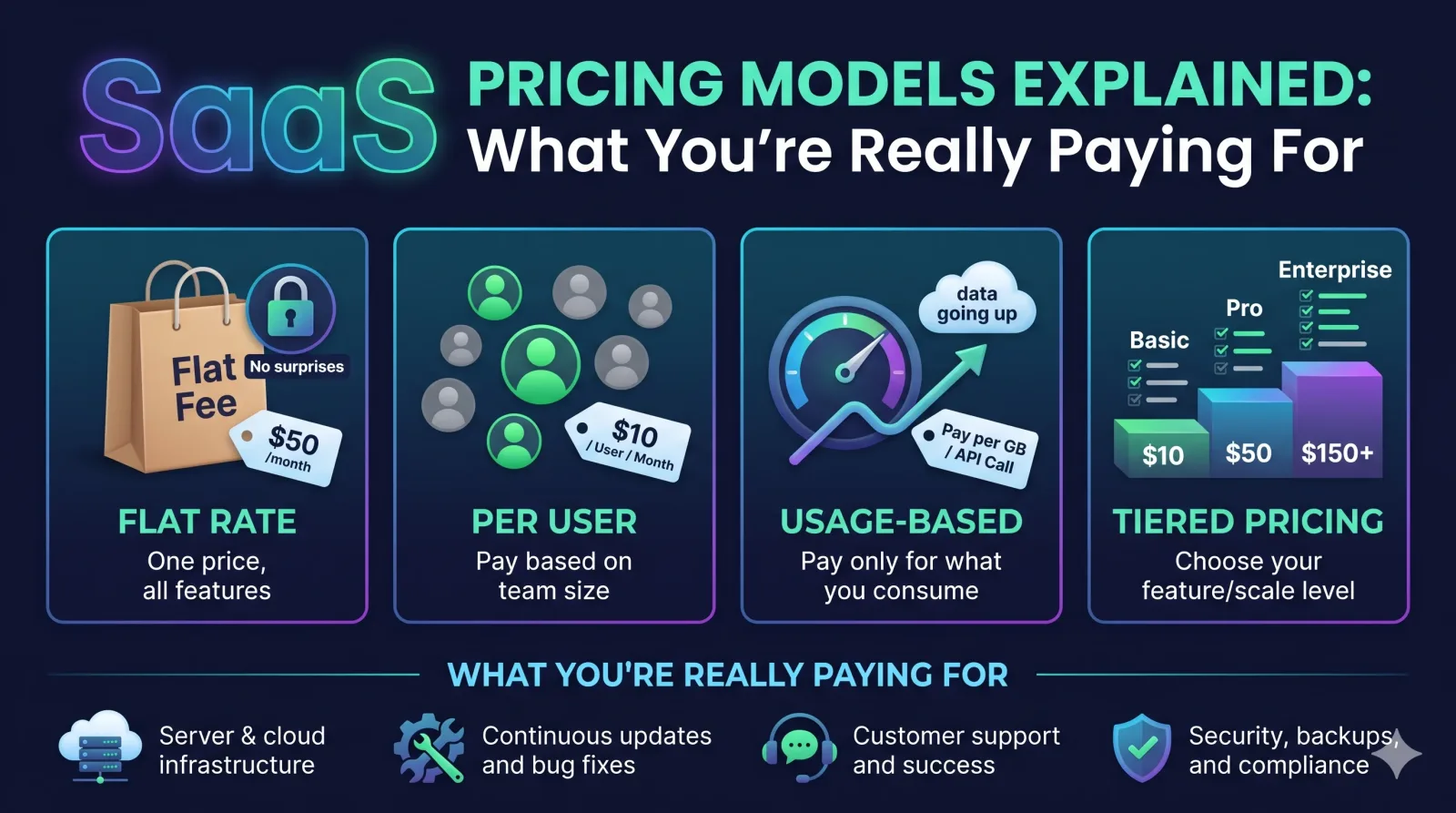
This guide explains the main models in plain words. It also shows a worked cost example and lists the costs that sit outside the plan price. By the end, you will know what to ask before you sign.
What Are SaaS Pricing Models? (and How B2B SaaS Is Priced)
A SaaS pricing model is the structure a software company uses to charge for ongoing access to its product. It sets what you pay for, how often you are billed, and how the price changes as you use more.
SaaS means "software as a service." You rent the software online instead of buying it once. B2B SaaS means the buyer is a business, not a single person. A company might buy a project tool for 50 employees. Because of this, B2B plans are often priced by team size or usage, and many come with contracts.
Two terms are easy to mix up:
-
Pricing model: How you are billed (per user, per use, flat fee).
-
Pricing strategy: Why the vendor picked that number (to cover costs, match rivals, or reflect the value you get).
You will also see the term value metric. It is the thing the vendor counts to calculate your bill, such as users, messages sent, or storage used. Once you know the value metric, you can guess how your bill will grow.
Types of SaaS Pricing Models, Grouped by What You're Metered On
Most SaaS pricing models fall into four groups: people-based, usage-based, package-based, and free-entry. Each group measures something different, and that choice decides when your bill goes up.
|
Model |
What is counted |
Best fit |
How cost behaves |
Main risk |
|
Per-user |
Named users |
Daily-use team tools |
Rises with headcount |
Paying for unused seats |
|
Per-active-user |
Users who log in or act |
Teams with changing activity |
Rises with real use |
Unclear "active" rules |
|
Usage-based |
Actions, calls, data |
Variable workloads |
Rises with activity |
Surprise bills |
|
Credit-based |
Prepaid credits spent |
Variable or AI-heavy use |
Rises as credits run out |
Credits expire or run short |
|
Flat-rate |
Nothing (one price) |
Steady, simple needs |
Stays fixed |
Paying the same for light use |
|
Tiered |
Bundle level |
Needs that match a bundle |
Jumps at each tier |
Upgrading for one feature |
|
Per-feature |
Features chosen |
Custom workflows |
Rises with add-ons |
Hidden dependencies |
|
Freemium |
Free plan, paid upgrade |
Testing a product |
Zero, then jumps |
Key features locked |
People-based: Per-User and Per-Active-User Pricing
Per-user pricing charges a set amount for each person who has access. Per-active-user pricing charges only for people who actually use the tool in a given period.
Per-user is easy to budget: 40 seats at a fixed price gives you one clear total. The risk is waste. If you buy 200 seats and only 60 people log in, you still pay for 200.
Per-active-user pricing fixes that, but only if you know how the vendor defines "active." Does a login count? A message sent? One action in the last 30 days? Slack's Fair Billing Policy is a known example. It credits customers for users who are inactive or deactivated. Before you sign any per-active-user deal, ask for the definition in writing.
Usage-Based and Credit-Based Pricing
Usage-based pricing charges you for what you consume. Credit-based pricing is a close cousin: you buy credits up front, and each action spends some of them.
Cloud and API tools often use this approach. Twilio charges per message or call minute. AWS bills for the compute and storage you use. Many AI tools charge by the amount of text processed.
This model feels fair because light users pay little. The downside is that your bill is harder to predict. A busy month can cost far more than a quiet one. With credits, check two things: whether unused credits expire, and what happens when you run out mid-month.
Package-Based: Flat-Rate, Tiered and Per-Feature Pricing
Package-based models charge for a bundle of features, not for people or usage. You pick a package and pay its price.
-
Flat-rate: one price for full access. It is simple, but light users pay the same as heavy users.
-
Tiered: several levels, such as Starter, Professional and Enterprise (HubSpot uses this pattern). Each level adds features or limits.
-
Per-feature: you pay for the capabilities you choose.
The common trap in tiered pricing is the "tier jump." Say you need one feature that only exists on the next tier. You then pay for a full bundle of things you do not need. Before choosing a tier, list the features you need and find the cheapest tier that includes all of them.
Freemium and Free Trials
Freemium gives you a basic version for free and charges for more. A free trial gives you the full product for a short time, then asks you to pay.
Both let you test a tool before you commit. The key question is where the paywall sits. Check which limits you would hit in normal work: number of projects, history length, exports, or team members. Treat a free plan as a test, not as a long-term plan, unless it covers your real needs.
Per-Seat vs Usage-Based vs Tiered: What Each Costs at 10, 50 and 200 Users
The same team can pay very different amounts under different models. Per-seat costs grow in a straight line, usage-based costs follow activity, and tiered costs jump at set points.
The numbers below are a made-up example to show the pattern. They are not real vendor prices. Assume:
-
Per-seat: $12 per user per month.
-
Per-active-user: $12, with 70% of users active.
-
Usage-based: $0.02 per task, with 400 tasks per user per month.
-
Tiered: $150 up to 25 users, $500 up to 100 users, $1,800 up to 250 users.
|
Team size |
Per-seat |
Per-active-user |
Usage-based |
Tiered |
|
10 users |
$120 |
$84 |
$80 |
$150 |
|
50 users |
$600 |
$420 |
$400 |
$500 |
|
200 users |
$2,400 |
$1,680 |
$1,600 |
$1,800 |
What the table shows:
-
Tiered costs more at 10 users but costs less than per-seat at 50 and 200.
-
Per-active-user and usage-based track real behavior, so they save money when adoption is low.
-
Usage-based can swing. If the 200-user team doubles its tasks in a busy month, that month costs $3,200, not $1,600.
So, is usage-based pricing cheaper? It depends on how steady your usage is. If your use is light or uneven, it often wins. If it is heavy and steady, a flat or tiered plan can cost less and is easier to plan.
To run this test yourself, take your current user count, your expected growth, and a month of real usage, and price each vendor's plan against them.
What You're Really Paying For: Costs Beyond the Plan Price
The plan price is only one part of what SaaS costs. Add-ons, setup work, support levels, and contract terms can add a lot on top.
Overages, Add-ons and Feature Gating
Overages are charges for going past a limit in your plan, such as extra storage or more API calls. Add-ons are extras sold separately. Feature gating means a feature is only available on higher plans.
Security and admin tools are often gated. Single sign-on (SSO), audit logs, and advanced permissions may only appear on upper tiers. If your company requires these, the "cheap" plan may not be an option. Read the full plan comparison page, not only the headline price.
Implementation, Support and Integration Costs
Some vendors charge one-time setup or onboarding fees. Others offer basic support for free but charge for faster response times or a named contact. Integrations with your other tools may be included, paid, or need a developer's time.
Also count your own team's time. Data migration, training, and admin work are real costs even when no invoice shows them. Ask the vendor what a typical rollout looks like for a company your size.
Contract Terms: Renewals, Minimum Commits and Exit Costs
Contract terms decide how much freedom you keep after you sign. Look closely at renewal, commitment, and exit rules.
-
Renewal increases: Some contracts let the vendor raise the price at renewal. Look for a cap on the increase.
-
Auto-renewal: Many contracts renew by default. Note the cancellation deadline, which can be 30 to 90 days before the end date.
-
Minimum commitments: You may owe a minimum spend even if you use less.
-
True-ups: If you add users or usage during the term, you may be billed for the extra later.
-
Annual vs monthly: Annual billing is often cheaper but locks you in. Monthly costs more but lets you leave.
-
Exit and data export: Ask how you can export your data and whether it costs extra.
Add a note in your calendar for the cancellation deadline the day you sign.
How Vendors Set Prices (and Why Yours Changes)
Vendors set prices using their costs, their competitors' prices, or the value customers get. Knowing which approach a vendor uses helps you see where you have room to negotiate.
The three common strategies are:
-
Cost-plus: Add a markup to what it costs to serve you.
-
Competitor-based (market-based): Price close to similar tools.
-
Value-based: Price by the results customers get. A tool that saves a team 10 hours a week can charge more than one that saves one hour.
Many vendors also run price optimization. That means testing prices, plans, and limits to find what customers will pay, sometimes with help from a price optimization service. It explains why plans get renamed, limits move, and features shift between tiers.
For you, this means a price is rarely fixed. Growing accounts, annual commitments, and multi-product deals often get better terms. Ask for them.
How SaaS Pricing Is Changing: Hybrid and AI-Era Models
Many vendors now mix models instead of using only one. AI features have also pushed more tools toward credits and usage-based charges.
Common hybrid patterns include:
-
A base subscription plus charges for extra usage.
-
A per-user price plus a pool of credits for AI features.
-
Tiers where each level has its own seat price and limits.
For buyers, hybrid pricing can be fair, but it has more parts to track. A plan that looks like a simple monthly fee may also bill for AI usage or extra data.
Pricing pages change often, so check the vendor's current page and terms before you decide. Do not rely on an old article, including this one, for exact prices or limits.
How to Compare SaaS Pricing and Choose the Right Model
To compare SaaS plans fairly, estimate your own usage first, then price every option against the same numbers. Pick the model that matches how your team actually works.
Use this table as a starting point:
|
Your situation |
Model that often fits |
|
Usage changes a lot month to month |
Usage-based or credit-based |
|
Team size is steady, everyone uses the tool daily |
Per-user |
|
Many accounts, but only some people use it |
Per-active-user |
|
Simple needs, steady use |
Flat-rate |
|
Needs match a clear bundle |
Tiered |
|
Strict, fixed budget |
Flat-rate, or usage with a spending cap |
Steps to follow:
-
Write down your user count, growth plan, and expected usage.
-
List must-have features, such as SSO or exports.
-
Price each shortlisted plan using those numbers, as in the example above.
-
Add extra costs: setup, support, add-ons.
-
Ask for a short pilot or trial using real work.
Questions to Ask Every Vendor
Good questions expose costs that pricing pages leave out. Send these before you sign:
-
What exactly do you count for billing (the value metric)?
-
How do you define an "active user"?
-
What happens if I go over my limit? Is there a spending cap or alert?
-
Which features are not in this plan?
-
Are there setup, onboarding, or support fees?
-
What is the renewal price, and is the increase capped?
-
Does the contract auto-renew, and when is the cancellation deadline?
-
Is there a minimum commitment or true-up?
-
Can I reduce seats or usage mid-term?
-
How do I export my data, and does it cost anything?
Red flags: vague answers about the billing unit, a refusal to put terms in writing, and pressure to sign before you can test the product.
Tracking Spend with a SaaS Management Platform
A SaaS management platform (SMP) is a tool that tracks the software your company pays for, who uses it, and when contracts renew. It helps you see unused seats and avoid missed cancellation dates.
You do not need one for a few tools. A shared spreadsheet with the tool name, owner, seats, cost, and renewal date works well at a small scale. Once your company runs dozens of apps, an SMP can save time by finding seats nobody uses. Check what it costs against what it could save.
FAQs About SaaS Pricing Models
What are the main types of SaaS pricing models?
The common types are per-user, per-active-user, usage-based, credit-based, flat-rate, tiered, per-feature, and freemium. Many vendors combine two or more.
What is B2B SaaS, and how is it priced?
B2B SaaS is online software sold to businesses. It is usually priced by seats, usage, or feature tiers, often with annual contracts and custom terms for larger teams.
What is the difference between per-user and per-active-user pricing?
Per-user charges for everyone with access. Per-active-user charges only for people who use the tool during a set period. Ask how the vendor defines "active."
Is usage-based pricing cheaper than a subscription?
It can be if your usage is light or uneven. If your usage is heavy and steady, a flat or tiered plan can cost less and is easier to budget. Ask for alerts or caps to avoid surprise bills.
What hidden costs come with SaaS pricing?
Common ones are overages, add-ons, feature gating, setup fees, paid support, integrations, and the time your own team spends on rollout and admin.
Why do SaaS prices go up at renewal?
Vendors may raise prices as they add features, change plans, or adjust to costs and the market. Some contracts allow increases at renewal, so look for a cap before signing.
How do I choose between SaaS pricing plans?
Estimate your users and usage, list must-have features, price each plan with the same numbers, add extra costs, and test the tool with a trial if you can.
Conclusion
Choose the pricing model that fits how your team really works, and compare total cost, not just the plan price. Steady use points to flat or per-user plans, while uneven use often suits usage-based or per-active-user pricing.
Your next step is simple. Before your next purchase or renewal, send the ten vendor questions above and price each option with your own numbers. Then set a calendar reminder for the cancellation deadline.